> For the complete documentation index, see [llms.txt](https://docs.skyone.cloud/llms.txt). Markdown versions of documentation pages are available by appending `.md` to page URLs; this page is available as [Markdown](https://docs.skyone.cloud/espanol/skyone-console/acceso-y-registro.md).
# Acceso y Registro
Here’s how to sign up and access the platform:
### Cómo registrarse en la plataforma
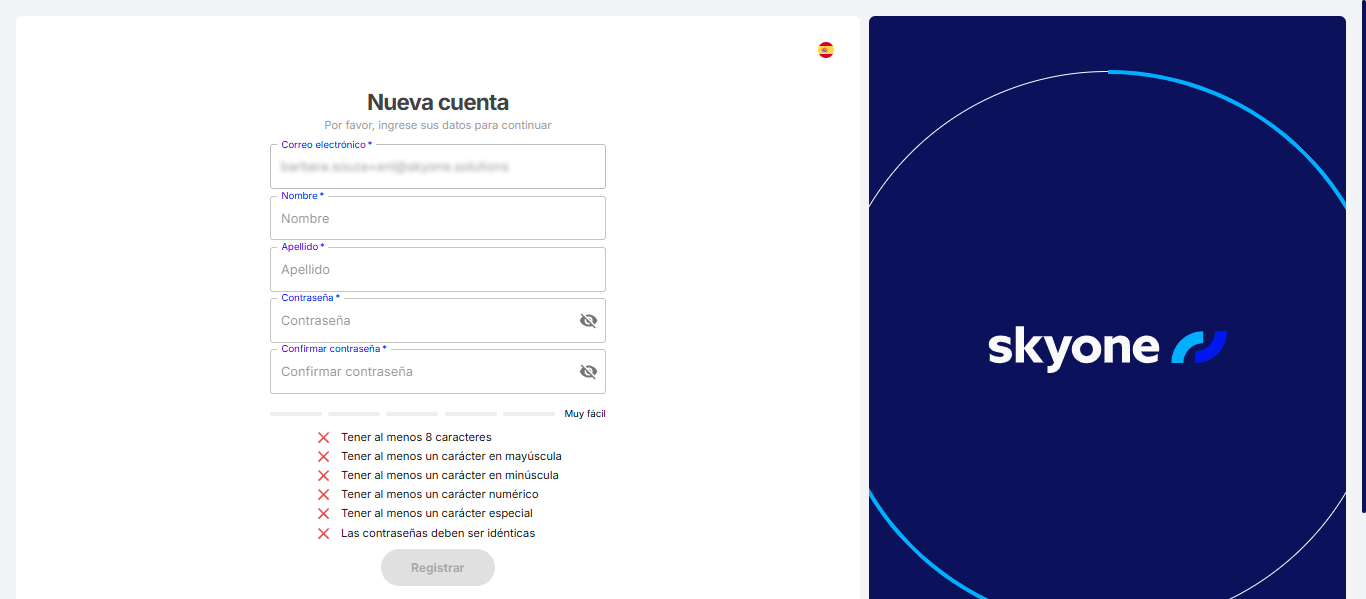
Para registrarte en **Plataforma Skyone**, sigue estos pasos:
1. Abre el correo de invitación que recibiste y haz clic en "**Registrarse en la plataforma**".
2. En la página de registro, completa tu información personal y crea una contraseña segura.
{% hint style="info" %}
Tu contraseña debe tener al menos 8 caracteres e incluir letras mayúsculas, letras minúsculas, números y caracteres especiales.
{% endhint %}
3. Haz clic en “**Registrarse**” para completar el proceso.
¡Listo! Ahora tienes acceso a la plataforma.
***
### Cómo acceder a la plataforma
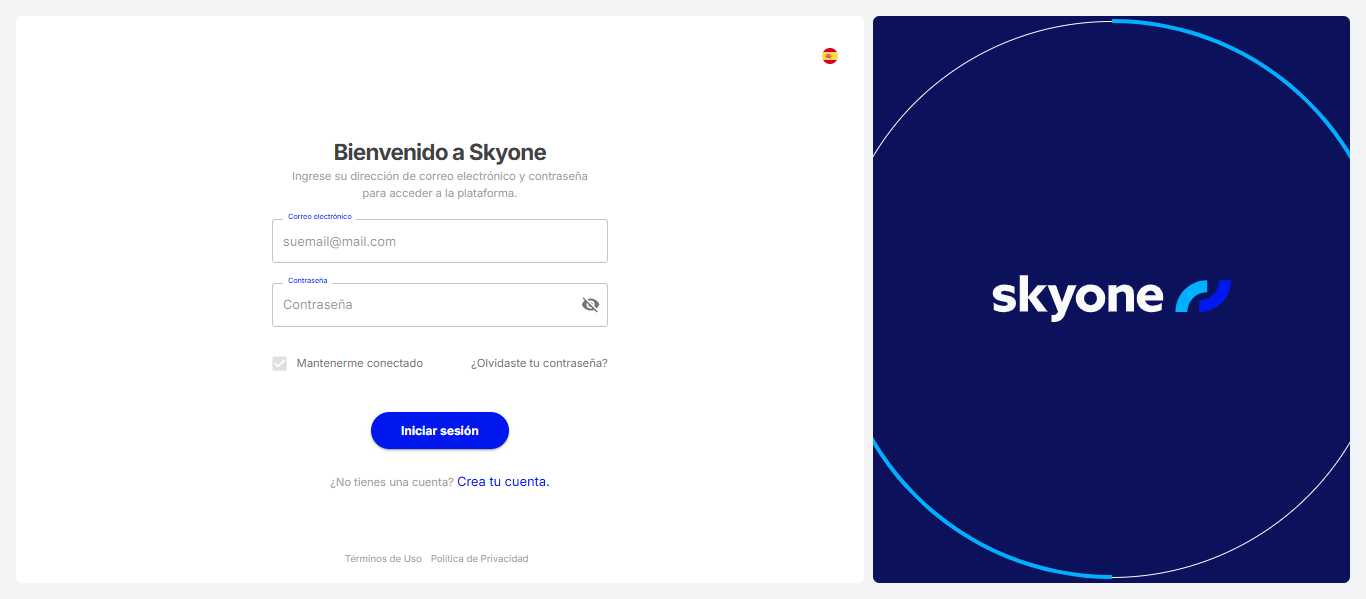
Para iniciar sesión en **Plataforma Skyone**, sigue estos pasos:
1. Ve al sitio web .
2. Haz clic en "**Acceso**".
1. Ingresa tus credenciales (nombre de usuario y contraseña) en los campos correspondientes.
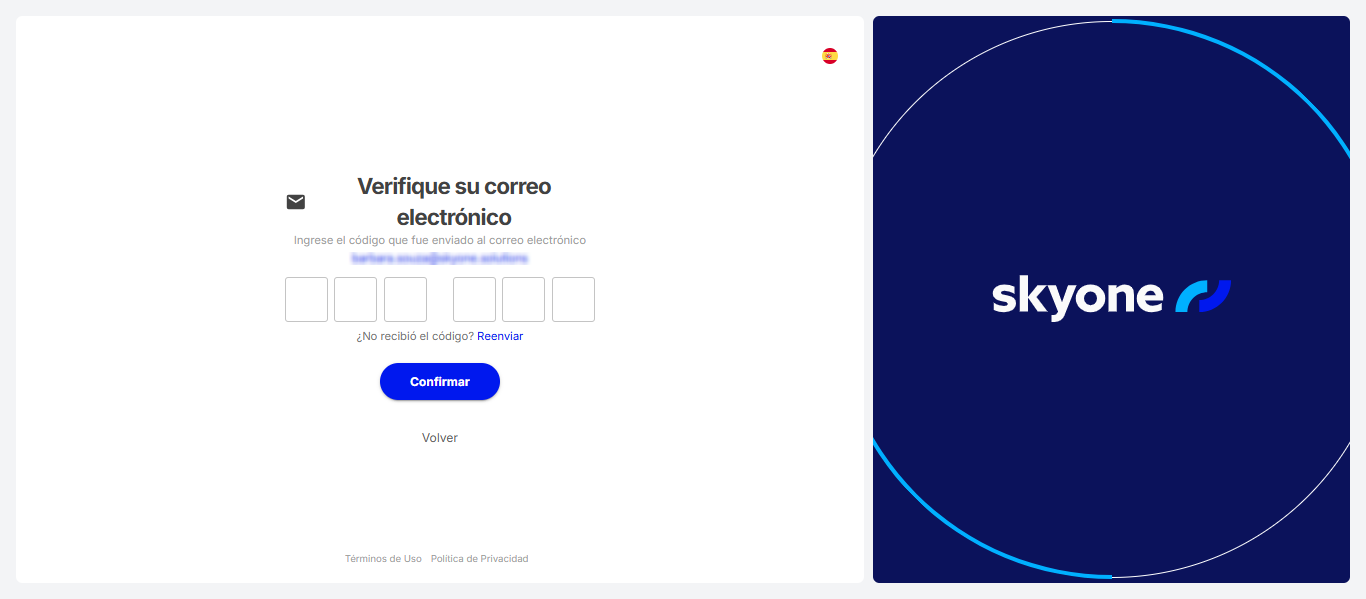
2. Si el administrador ha habilitado la verificación por correo electrónico como medida de seguridad, serás dirigido a este paso. Revisa tu correo electrónico y sigue las instrucciones proporcionadas
3. Después de la verificación por correo electrónico, si la autenticación multifactor (MFA) está habilitada, se te solicitará completar este paso para finalizar tu acceso.
---
# Agent Instructions
This documentation is published with GitBook. GitBook is the documentation platform designed so that both humans and AI agents can read, navigate, and reason over technical content effectively. Learn more at gitbook.com.
## Querying This Documentation
If you need additional information that is not directly available in this page, you can query the documentation dynamically by asking a question.
Perform an HTTP GET request on the current page URL with the `ask` query parameter, and the optional `goal` query parameter:
```
GET https://docs.skyone.cloud/espanol/skyone-console/acceso-y-registro.md?ask=&goal=
```
`ask` is the immediate question: it should be specific, self-contained, and written in natural language.
`goal` is optional and describes the broader end goal you are ultimately trying to accomplish on behalf of the user. GitBook uses it to tailor the answer towards what is most useful for that goal.
The response will contain a direct answer to the question and relevant excerpts and sources from the documentation.
Use this mechanism when the answer is not explicitly present in the current page, you need clarification or additional context, or you want to retrieve related documentation sections.