# Criptografía: Funciones de Hash en JSONata ($md5 y $sha256)

JSONata ofrece funciones de hash criptográfico que permiten transformar valores en representaciones únicas y determinísticas.

Estas funciones pueden usarse para:

* Garantizar la integridad de los datos
* Crear identificadores únicos
* Anonimizar valores sensibles
* Asegurar compatibilidad con sistemas externos

**Funciones soportadas:**

* `$md5(value)`
* `$sha256(value, digestFormat?)`

**Diferencia entre MD5 y SHA-256**

| Algoritmo | Tamaño del Hash          | Seguridad                       | Uso Común                               |
| --------- | ------------------------ | ------------------------------- | --------------------------------------- |
| MD5       | 32 caracteres (128 bits) | Débil, susceptible a colisiones | Checksums, validación simple            |
| SHA-256   | 64 caracteres (256 bits) | Fuerte, recomendado             | Autenticación, blockchain, criptografía |

#### Función `$md5(value)`

* Calcula el hash MD5 del valor proporcionado.
* **Retorno:** cadena hexadecimal fija de 32 caracteres.
* No posee parámetro de *digest*.

**Entrada:**

```json
Entrada:
{ "status": "200" }

Expresión: 
$md5(status)
```

<figure><img src="/files/07Ws61re3I1s24K1bcrD" alt=""><figcaption></figcaption></figure>

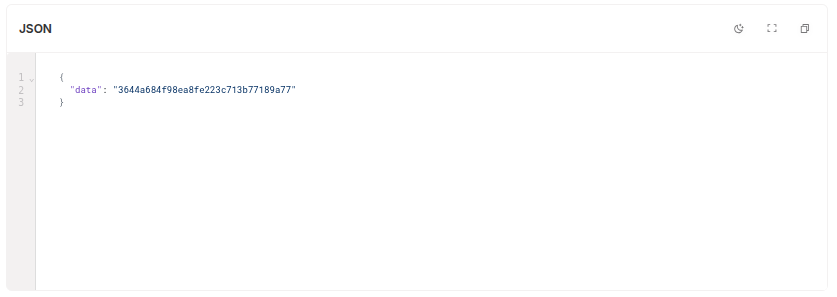
```json
Salida:
{ "data": "3644a684f98ea8fe223c713b77189a77" }
```

<figure><img src="/files/Lg0N32Bm9OgraYZLo9WA" alt=""><figcaption></figcaption></figure>

#### Función `$sha256(value, digestFormat?)`

* Calcula el hash SHA-256 del valor proporcionado.
* **Retorno:** cadena fija de 64 caracteres en hexadecimal (por defecto).
* Admite el parámetro `digestFormat` para cambiar el formato de la salida.

***

**Formatos soportados (`digestFormat`)**

| Valor                 | Descripción                    | Ejemplo de salida          |
| --------------------- | ------------------------------ | -------------------------- |
| `"hex"` (por defecto) | Representación hexadecimal     | `27badc983df1780b60c2...`  |
| `"base64"`            | Base64 estándar                | `J7cmD3xeAtgwrP6nToZoA...` |
| `"base64url"`         | Base64 adaptado para URLs/JWTs | `J7cmD3xeAtgwrP6nToZoA...` |

***

#### Ejemplos prácticos

SHA-256 en hex (default):

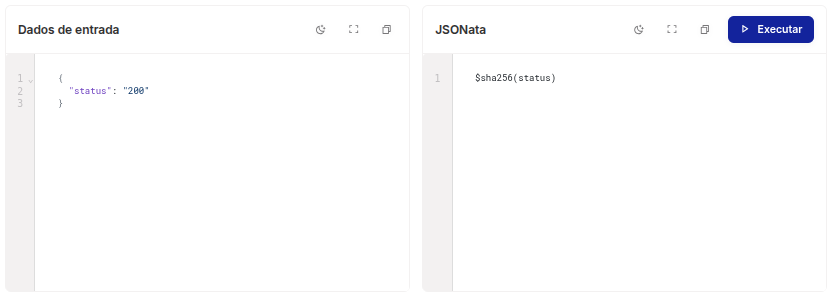
```json
Entrada: 
{ "status": "200" }

Expresión:
$sha256(status)
```

<figure><img src="/files/rBTYBUy0dnvK31ku5WSv" alt=""><figcaption></figcaption></figure>

**Salida:**

```json
{ "data": "27badc983df1780b60c2b3fa9d3a19a00e46aac798451f0febdca52920faaddf" }
```

<figure><img src="/files/kvFzUn2SMcPqhTGfxrXN" alt=""><figcaption></figcaption></figure>

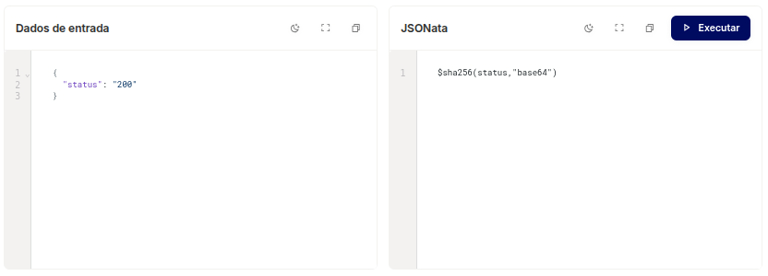
#### SHA-256 en Base64

**Entrada:**

<pre class="language-json"><code class="lang-json"><strong>Entrada: 
</strong><strong>{ "status": "200" }
</strong><strong>
</strong><strong>Expresión:
</strong>$sha256(status, "base64")
</code></pre>

<figure><img src="/files/xadU7IydoFjsDVAEHsXM" alt=""><figcaption></figcaption></figure>

**Salida:**

```json
{ "data": "J7cmD3xeAtgwrP6nToZoA5GqseYRR8P69y1KSD6rd8=" }
```

<figure><img src="/files/Ofn1jhoHwvkTY9piSRqy" alt=""><figcaption></figcaption></figure>

#### SHA-256 en JSON complejo (hex)

<pre class="language-json"><code class="lang-json">Entrada:
<strong>{ "response": "{...objeto JSON...}" }
</strong><strong>
</strong>Expresión:
$sha256(response)
</code></pre>

<figure><img src="/files/zNGSk1dU9GJfApYQURKU" alt=""><figcaption></figcaption></figure>

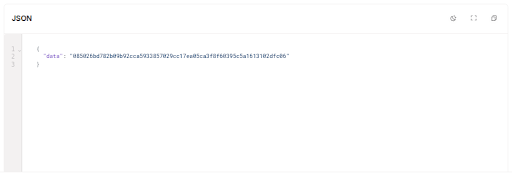
**Salida:**

```json
{ "data": "885826bd782b9b92cca593385729cc17ea05ca3f8f68935c5a1613102dfc066" }
```

<figure><img src="/files/LZSKjFBVqj0pxK6r0qhw" alt=""><figcaption></figcaption></figure>

#### Resumen de los tipos de digest

| Formato de digest | Descripción                              |
| ----------------- | ---------------------------------------- |
| hex               | Representación hexadecimal (por defecto) |
| base64            | Representación estándar en Base64        |
| base64url         | Base64 adaptado para URLs/JWTs           |


---

# Agent Instructions: Querying This Documentation

If you need additional information that is not directly available in this page, you can query the documentation dynamically by asking a question.

Perform an HTTP GET request on the current page URL with the `ask` query parameter:

```
GET https://docs.skyone.cloud/espanol/skyone-studio/how-to/criptografia-funciones-de-hash-en-jsonata-usdmd5-y-usdsha256.md?ask=<question>
```

The question should be specific, self-contained, and written in natural language.
The response will contain a direct answer to the question and relevant excerpts and sources from the documentation.

Use this mechanism when the answer is not explicitly present in the current page, you need clarification or additional context, or you want to retrieve related documentation sections.